

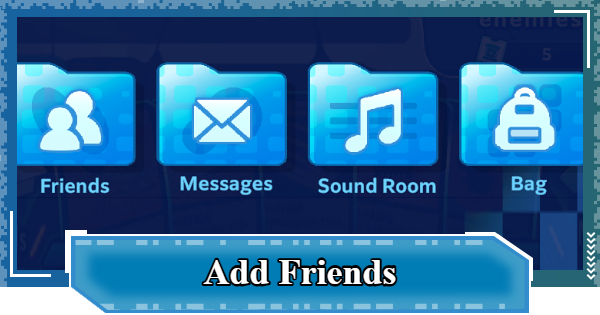
Learn how to add friends in Digimon UP! Discover the benefits of sending friend requests, including daily Bit exchanges and how to compare your combat stats with other players.
Table of Contents
How to Add Friends
| 1 | ▼Open the Menu |
|---|---|
| 2 | ▼Open Friends |
| 3 | ▼Select "Find Friends" |
| 4 | ▼Send a Friend Request |
Step 1: Open the Menu


Tap the Menu button on the right side of the screen to get started.
Step 2: Open Friends

Next, select Friends from the menu.
Step 3: Select "Find Friends"

▲Tap the Refresh button to update the friend list.
Switch from the Friend List tab to Add to open the Search Friends list, where you can send friend requests to other players. You can also search for a specific player by entering their name in the search bar at the top of the screen.
Step 4: Send a Friend Request

▲Tap anywhere except the Add button to view the player's profile.
Tapping the Add Friend button for the player completes the friend request. The player will be added as a friend once the other player accepts.
 Tip! Tip! | You can view your pending player invitations in Sent Requests. |
|---|
Check "Received Requests" for Invites

Incoming friend requests appear in Received Requests. Tap Accept to become friends, or Decline to reject the request.
Benefits of Adding Friends
| 1 | ▼Exchange Bits with Friends |
|---|---|
| 2 | ▼Play Friend Match (Practice Battles) |
Exchange Bits with Friends
When you tap the Gift button, the other player receives 500 bit. Exchange gifts with up to 50 friends daily to earn the Bits needed to upgrade the Hologram Device.
How to Level Up and Use the Hologram Device| Tip! | If you exchange gifts with all 50 friends, you can earn 25,000 Bits every day. |
|---|
How to Receive Gifts
You can receive gifts from the Friend List the same way you send them. We recommend using the "Select All" button, which lets you send and receive all gifts with a single tap.
Play Friend Match (Practice)
Tapping the Battle button lets you play a Friend Match (Practice). It's a great way to practice PvP against players with similar Combat Power.
You Can Compare Stats with Friends

You can compare your stats with a friend's from their profile. This is a great way to identify your weaker stats and see which ones you should prioritize improving.
Notes on Adding Friends
Only Players on the Same Server
You can only add friends with players who belong to the same server. If you have someone you want to play with, make sure to choose the same server.
Server Guide: How to Change and TransferDigimon UP Related Articles
Return to HomeRecommended Articles
 How to Reroll
 Early Game Guide
 Recommended Partners
 Daily Tasks Guide
 How to Choose Server
 How to Create Character
 How to Change Name
 Idle Rewards
 Unlock Condition List
 Guide Quest
 Hologram Device
 Mission Guide
 Stage Progression
 How to Add Friends
 To-Do When Stuck
 How to Speed Up Battles
 Account Linking
 Customization Guide
 Gacha List
 Event List
 Latest Updates
Training Guide
 Training Guide Training Guide |  Raising Tamer Lv. Raising Tamer Lv. |  How to Raise Rank How to Raise Rank |
 Partner Training Partner Training |  Get Best Equipment Get Best Equipment |  Skill Cards Guide Skill Cards Guide |
 Get Support Digimon Get Support Digimon |  Buddies Guide Buddies Guide |  Get SP Support Get SP Support |
 Digivice Guide Digivice Guide |  Use Tactical Memory Use Tactical Memory |
 Dungeon Guide
 PVP Guide
 Camp Guide
 Digital World Search
 Ad Skip Pass
 Battle Pass
 Digimon List
 Skill Card List
 Equipment List











