

How to change your name in Digimon UP. This guide explains how to change your name in Digimon UP, including the requirements, cost, and other important details.
Table of Contents
Name Change Cost
Free to Change Anytime
Changing your player name in Digimon UP is free. However, you can only change your player name once, so make sure to choose a name you'll be happy with for the long term.
Duplicate Names Are Allowed
It's possible to change your name to one that is already in use. There's no need to rush to claim your desired player name, so you can play with the name you want no matter when you start the game.
How to Change Your Name
| 1 | Tap your player icon in the top left of the screen. |
|---|---|
| 2 | Tap the edit button next to your player name. |
| 3 | Enter your new name and tap "Confirm" twice. |
Step 1: Tap the Player Icon


First, tap your player icon in the top left of the screen.
Step 2: Tap the Edit Button
When your player info appears, tap the icon next to your player name.
Step 3: Enter New Name and Confirm

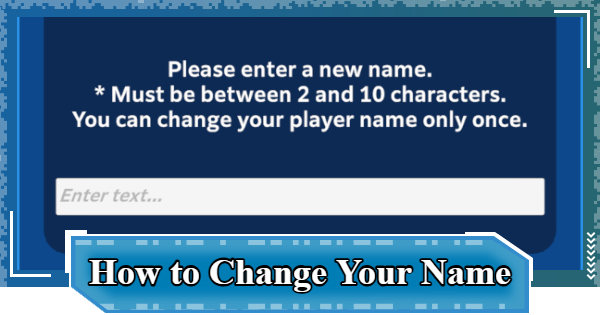
Enter a new player name (2 to 10 characters long), tap Confirm, and then tap Confirm again to finalize the change.
Name Change Tips
Can Only Be Changed Once
You can only change the player name you chose at the start of the game once. Since this is a one-time opportunity, make sure you're happy with your new name before confirming the change.
Multiple Players Can Share a Name
Since player names can be identical, it's possible for multiple players to have the same name. When trying to identify someone, be sure to check other information like their icon and Combat Power, not just their player name.
Avoid Special Characters or Profanity

You cannot use special characters or spaces in your player name. Inappropriate language (banned words) is also prohibited.
Digimon UP Related Articles
Return to HomeRecommended Articles
 How to Reroll
 Early Game Guide
 Recommended Partners
 Daily Tasks Guide
 How to Choose Server
 How to Create Character
 How to Change Name
 Idle Rewards
 Unlock Condition List
 Guide Quest
 Hologram Device
 Mission Guide
 Stage Progression
 How to Add Friends
 To-Do When Stuck
 How to Speed Up Battles
 Account Linking
 Customization Guide
 Gacha List
 Event List
 Latest Updates
Training Guide
 Training Guide Training Guide |  Raising Tamer Lv. Raising Tamer Lv. |  How to Raise Rank How to Raise Rank |
 Partner Training Partner Training |  Get Best Equipment Get Best Equipment |  Skill Cards Guide Skill Cards Guide |
 Get Support Digimon Get Support Digimon |  Buddies Guide Buddies Guide |  Get SP Support Get SP Support |
 Digivice Guide Digivice Guide |  Use Tactical Memory Use Tactical Memory |
 Dungeon Guide
 PVP Guide
 Camp Guide
 Digital World Search
 Ad Skip Pass
 Battle Pass
 Digimon List
 Skill Card List
 Equipment List











