

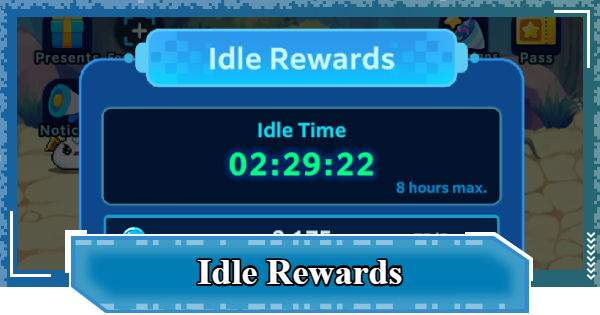
This guide explains how Idle Rewards work in Digimon UP. Including how to increase offline rewards, collect AFK resources, and maximize idle passive rewards.
Table of Contents
 Early Game Guide
 Recommended Partners
 Daily Tasks Guide
 Idle Rewards
 Unlock Condition List
 Guide Quest
 Hologram Device
 Mission Guide
 Stage Progression
 Hologram Ticket
 DigiEmeralds
 Digimon That Can Digivolve
Idle Rewards Overview
| Rewards |  bit bit- For upgrading the Hologram Device Hologram Ticket- To activate the Hologram Device DigiEmerald- For Buddy/SP Support Summon - For purchasing items in the shop Skill Cards- To obtain/enhance Skill Cards Support Digimon- To obtain/enhance Support Digimon |
|---|---|
| How it works | - Rewards accumulate while logged in and logged out - Can accumulate for up to 8 hours - The amount of rewards increases every 20 stages |
| Note | Any time exceeding 8 hours will not accumulate rewards |
In Digimon UP, Idle Rewards accumulate for up to 8 hours, including while you are logged out. Therefore, it is recommended to log in to the game periodically to collect your rewards.
What Are Idle Rewards?
Rewards That Accumulate Over Time

This is a system where rewards automatically accumulate over time. Since they accumulate not only while you're logged in but also while you're logged out, you can make effective use of the time you can't play the game.
Log in at Least 3 Times Daily

Idle Rewards only accumulate for a maximum of 8 hours. If you exceed 8 hours, Idle Rewards will not accumulate and you will waste time, so log in at least 3 times a day to collect just the rewards.
How to Increase Idle Rewards
Increases Every 20 Stages

▲The left is right after starting the game, the right is upon reaching stage 740.
Every 20 stages you advance, the amount of Bit, Hologram Tickets, and DigiEmeralds you earn every 5 minutes increases. Please note that you must be logged into the game to advance through stages.
Stage Progression GuideBase Idle Rewards and Stage Increases
| Bit | Hologram Ticket | DigiEmerald | |
|---|---|---|---|
| Initial Value | 75 | 1 | 1 |
| Increase Amount | +25 | +1 | +1 |
| Limit | 5,075 | 201 | 201 |
Currently, the Idle Rewards per 5 minutes reach their maximum at Stage 4,000. Even if you progress past Stage 4,020, the amount of Idle Rewards earned per 5 minutes will not increase.
Get 2 Extra Hours by Watching an Ad
You can view ads for Idle Rewards up to twice a day. You can get an additional 2 hours' worth of rewards each time, so it's recommended to View ads every day if possible.
Should You Buy the Ad Skip Pass?How to Collect Idle Rewards
Claim from the Rewards Screen

When you log in to the game, the Idle Rewards collection screen will appear, so don't forget to collect them. If you make it a habit to collect Idle Rewards when you log in and before you log out, you can minimize the chances of forgetting to collect them.
Check Rewards From the Left Icon

If you want to check your Idle Rewards at times other than right after logging in, you can do so by tapping the reward on the left side of the screen. You can use this to collect rewards before logging out or when you View ads.
Digimon UP Related Articles
Return to HomeRecommended Articles
 How to Reroll
 How to Choose Server
 How to Create Character
 How to Change Name
 How to Add Friends
 To-Do When Stuck
 How to Speed Up Battles
 Account Linking
 Customization Guide
 Gacha List
 Event List
 Latest Updates
Training Guide
 Training Guide Training Guide |  Raising Tamer Lv. Raising Tamer Lv. |  How to Raise Rank How to Raise Rank |
 Partner Training Partner Training |  Get Best Equipment Get Best Equipment |  Skill Cards Guide Skill Cards Guide |
 Get Support Digimon Get Support Digimon |  Buddies Guide Buddies Guide |  Get SP Support Get SP Support |
 Digivice Guide Digivice Guide |  Use Tactical Memory Use Tactical Memory |
 Dungeon Guide
 PVP Guide
 Camp Guide
 Digital World Search
 Ad Skip Pass
 Battle Pass
 Digimon List
 Skill Card List
 Equipment List











