

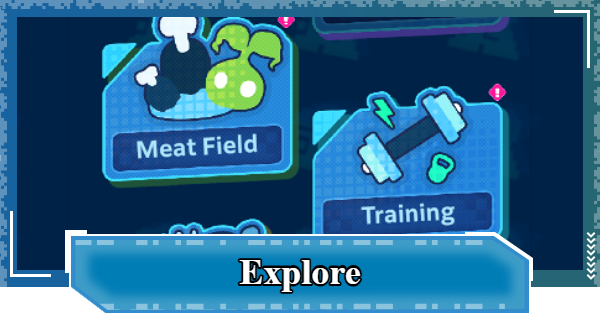
This guide explains how to unlock Explore in Digimon UP, including its different exploration modes, available rewards, and the features of each activity.
| Explore Related Articles | |
|---|---|
| Digital World Search | Different Dimension Box |
| Meat Field | Training |
| Eat | |
Table of Contents title here
Exploration Overview
Unlocked Gradually Starting at Stage 40

| Unlock Conditions | Reach Stage 40 |
|---|
Explore includes the Digimon Encyclopedia, which is available from the start of the game. However, most Exploration features unlock gradually until you reach Stage 40. Since much of the content progresses over time, we recommend logging in regularly to make steady progress.
List of Explore Unlock Conditions
| Content | Unlock Conditions |
|---|---|
| Digimon Encyclopedia | Available from the start of the game |
| Meat Field | Reach Stage 40 |
| Eat | 1 day after server opening Reach Stage 40 |
| Digital World Search Training | 1 Day after server opening Reach Stage 75 |
| Different Dimension Box | 3 Days after server opening Reach Stage 160 *Requires a Buddy in your party |
View Digimon in the Encyclopedia

The Digimon Encyclopedia is available from the start of the game and lets you view information and animations for every Digimon you've encountered. Allied Digimon are registered once you obtain them, while enemy Digimon are added after you encounter them in stages or dungeons.
Each Facility Has Its Own Shop
The Meat Farm and Dimensional Box each have their own shop. In addition to DigiEmeralds and DigiDiamonds, some items require Data Shards obtained from the Dimensional Box to purchase.
 Note! Note! | Items labeled "1 Day" reset daily at 15:00 (3:00 PM). |
|---|
List of Exploration Rewards
| Type | Rewards / Uses |
|---|---|
| Meat Field | |
| Digital World Search | SP Training Chip - Progress in Training Skill Card Summon Ticket- Skill Card Summon Supporter Summon Ticket- Support Digimon Summon |
| Different Dimension Box | Bit - Leveling up Hologram Device Data Shard- Purchasing items in the shop Random Skill Card- Obtaining Skill Cards Random Support Digimon- Obtaining Support Digimon Tactical Memory- Obtaining Tactical Memory Stamina- Moving in Digital World Search Buddy Soul- Base enhancement for Buddy DigiChip- Researching Digivice functions - Upgrading Digivice parts Good Digimeat Seed- Growing Digimeat in Meat Field DigiPlate- Base enhancement for SP Support Random Different Dimension Box Decoration- Obtaining decorations for Different Dimension Box Random Different Dimension Box Decoration- Obtaining decorations for Different Dimension Box |
Explore Types & Features
| 1 | ▼Meat Field |
|---|---|
| 2 | ▼Eat |
| 3 | ▼Digital World Search |
| 4 | ▼Training |
| 5 | ▼Different Dimension Box |
Meat Field Features

| Unlock Conditions | Reach Stage 40 |
|---|
The Meat Field is where you grow Digimeat. Plant a Digimeat Seed to begin cultivation, then harvest the Digimeat after it finishes growing. You can reduce the growth time with a Watering Can, and upgrading the Meat Field or its Farm Digimon further improves production efficiency.
Meat Field GuideWhat You Can Do in the Meat Field
| Resources | [Seed Items]Digimeat Seed - Recovers 1 every hour when below the max amount held Good Digimeat SeedGreat Digimeat Seed[Time-Reduction Items] Tiny Watering Can- Recovers 1 every hour when below the max amount held Huge Watering Can[Level-Up Items] Challenge Carrot |
|---|---|
| Watch Ads | - Digimeat Seed: 2 times per day - Tiny Watering Can: 2 times per day - Speed up leveling: 5 times per day |
| Rewards | Digimeat |
| How to Play | [Meat Field] 1: Plant a Digimeat Seed 2: Wait for time to pass, or speed it up with a Watering Can 3: Harvest the Digimeat once the growing time ends [Farm Digimon Training] 1: Use a Challenge Carrot to start leveling up 2: Wait for time to pass, or shorten the wait time 3: Tap to complete the level-up |
| Features | - Plant a seed, and after a set amount of time you can harvest Digimeat - The Digimon in charge of caretaking differs - Changes the harvest amount and wait time - You can shorten the wait time with a Watering Can - Harvesting Digimeat levels up the Meat Field - Unlocks more fields as the level rises - Leveling up grants Challenge Carrots - You can level up Farm Digimon - Leveling up uses Challenge Carrots - 3 different methods can speed this up - Leveling up improves the Meat Field's efficiency |
Eat Features
| Unlock Conditions | 1 Day after server opening Reach Stage 40 |
|---|
Use the Digimeat harvested from the Meat Farm to randomly obtain Eat Effects. Consuming a certain amount of Digimeat increases your Eat Level, unlocking additional effect slots and adding higher-rarity effects to the available pool.
What You Can Do With Eat
| Resources | Digimeat |
|---|---|
| Rewards | Advenced Stats |
| How to Play | 1: Consume Digimeat to roll for an effect 2: Reroll until you get the effect you want 3: Lock in any effects you want to keep |
| Features | - Consuming Digimeat raises your Eat Level - Unlocks slots based on your level - Leveling up adds higher-rarity effects - Locking effects increases the amount of Digimeat consumed per roll |
Digital World Search Features

| Unlock Conditions | 1 Day after server opening Reach Stage 75 |
|---|
In this mode, you explore a grid-based map by moving one space at a time while collecting items. Each move consumes Stamina, and you can use Attack or Dash to destroy obstacles and uncover hidden items.
Digital World Search GuideWhat You Can Do in Digital World Search
| Resources | Stamina - Recovers 1 every 10 minutes when below 100 Attack- Recovers 1 every 10 minutes when below 3 Dash- Recovers 1 every hour when below 3 |
|---|---|
| Rewards | SP Training ChipSkill Card Summon TicketSupporter Summon Ticket |
| How to Play | 1: Consume Stamina to move to the right 2: Pick up items lying on the ground 3: Destroy obstacles with an Attack or a Dash |
| Features | - Move one square at a time to the right across a 5x5 grid map - You can also move up, down, or backward as long as it's within the visible screen - Each square you move consumes 1 Stamina - Moving onto a square with an item picks it up - Destroying an obstacle consumes 1 Attack - Items may be hidden inside - A Dash lets you move and destroy across 3 squares at once - Reaching the target distance grants bonus rewards |
| Things to Keep in Mind | - You cannot go back to squares that have scrolled off the left side of the screen - Dashing is only possible to the right |
Training Features

| Unlock Conditions | 1 Day after server opening Reach Stage 75 |
|---|
Use the SP Training Chips obtained from Digital World Exploration to unlock Training nodes in order from the top of the list. Completing each Training increases your Advanced Stats, and clearing it the required number of times unlocks additional branching Training paths.
Training & How to Increase PowerWhat You Can Do With Training
| Resources | SP Training Chip |
|---|---|
| Watch Ads | Speed up Training: 5 times per day |
| Rewards | Advenced Stats |
| How to Play | 1: Select an item to start Training 2: Wait for time to pass, or shorten the wait time 3: Stats increase once the Training time ends |
| Features | - Training items are completed in order from the top - Meeting the required number of completions unlocks branching options - 3 different methods can speed this up |
Different Dimension Box Features

| Unlock Conditions | 3 Days after server opening Reach Stage 160 *Requires a Buddy in your party |
|---|
Assign a Buddy to automatically earn rewards over time. You can also increase your Battle Power by collecting and upgrading Decorations to activate their Passive Bonuses, while placing Decorations grants additional placement effects.
What the Dimensional Box Offers
| Rewards | BitData ShardRandom Skill CardRandom Support DigimonTactical MemoryStaminaBuddy SoulDigiChipGood Digimeat SeedDigiPlateRandom Different Dimension Box Decoration - LaboratoryRandom Different Dimension Box Decoration - Picnic |
|---|---|
| How to Play | 1: Connect a Buddy 2: Periodically recall them 3: Set up Management 4: Attack other Tamers' connected Buddies 5: Place Decorations to increase efficiency |
| Features | [Buddy Connection] - Connecting a Buddy earns rewards over time - The rewards collected differ depending on the Buddy - A Buddy can stay connected and earning rewards for up to 8 hours at a time - The maximum reward time that can accumulate per day is 16 hours - Buddies automatically return 10 hours after connecting - You can also connect to other Tamers' Different Dimension Boxes - You can attack other Tamers' connected Buddies - You can protect your Buddy through Management [Decorations] - Obtaining Decorations grants Passive Bonuses - Leveling up Decorations increases the bonus - Placing Decorations applies placement effects |
| Things to Keep in Mind | Failing to defend causes you to lose a set amount of Data Shards. |
Digimon UP Related Articles
Return to HomeRecommended Articles
 How to Reroll
 Early Game Guide
 Recommended Partners
 Daily Tasks Guide
 How to Choose Server
 How to Create Character
 How to Change Name
 Idle Rewards
 Unlock Condition List
 Guide Quest
 Hologram Device
 Mission Guide
 Stage Progression
 How to Add Friends
 To-Do When Stuck
 How to Speed Up Battles
 Account Linking
 Customization Guide
 Gacha List
 Event List
 Latest Updates
Training Guide
 Training Guide Training Guide |  Raising Tamer Lv. Raising Tamer Lv. |  How to Raise Rank How to Raise Rank |
 Partner Training Partner Training |  Get Best Equipment Get Best Equipment |  Skill Cards Guide Skill Cards Guide |
 Get Support Digimon Get Support Digimon |  Buddies Guide Buddies Guide |  Get SP Support Get SP Support |
 Digivice Guide Digivice Guide |  Use Tactical Memory Use Tactical Memory |
 Dungeon Guide
 PVP Guide
 Camp Guide
 Digital World Search
 Ad Skip Pass
 Battle Pass
 Digimon List
 Skill Card List
 Equipment List











