

 Mina
Mina Fighter
 Destroyer
 Support
 Assassin
 Fire
Fire Ice
Ice Wind
Wind Earth
Earth Lightning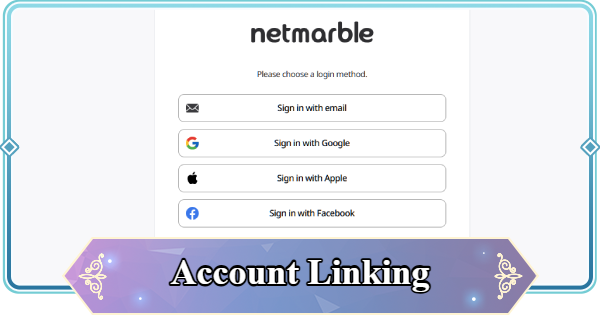
Account Linking guide for Mongil: Star Dive. Read about how to link your Mongil account and how to transfer data.
Table of Contents
How to Link Your Account
Linkable on the Netmarble Website


You can link your Mongil account from the Netmarble Website. You will need to log in, so proceed using the same method you used to create your account.
Netmarble Login Page (External)| Step | Method |
|---|---|
| Go to the Netmarble login page. | |
 Log in using the method you used to create your account. Log in using the method you used to create your account. | |
 Go to 'Manage Linked Accounts' on the My Page. Go to 'Manage Linked Accounts' on the My Page. | |
 You can select and link to any platform. You can select and link to any platform. |
List of Linkable Platforms
In Mongil, you can log in using the following four platforms.
- Apple
How to Transfer Your Account
Log in with the Linked Service

Log in from the login screen using the service you linked your account with. Once the game starts, the transfer is complete.
Account Info Viewable in-Game
Check Friend Code and Player ID

In the Mongil game, you can check your 'Friend Code' and 'Player ID'. These may be required in emergencies such as account recovery, so be sure to save and manage this information beforehand.
Steps to Check Account Information
| Step | Method |
|---|---|
 Tap the gear icon from the menu screen Tap the gear icon from the menu screen | |
| Check your account information on the options screen |
Mongil: Star Dive Related Guides
Back to Home Best Character Tier List
 Reroll Tier List
Early Game Guides
Early Game Guide
 How to Reroll Guide
 Raising Adventure Level
 Character Progression
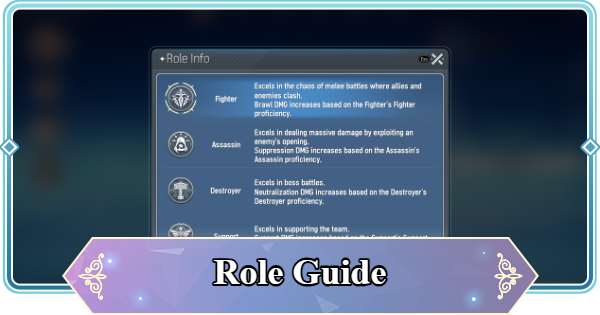 Role and Classes
 Recommended Gachas
 Game Difficulty Guide
 How to Cook and Best Recipes
 How to Capture Monsters
 How to Solve Oz's Puzzle
 Is Mongil a Gacha Game?
 How to Farm Starlight Crystals
 How to Get Compass of Promise










