

 Mina
Mina Fighter
 Destroyer
 Support
 Assassin
 Fire
Fire Ice
Ice Wind
Wind Earth
Earth Lightning
How to Win Battles in Mongil: STAR DIVE. Refer to this guide if you can't win or are stuck in battles and see tips for combat in Mongil.
Combat Tips
Learn to Switch Between Characters


In Mongil, switching between characters is among the basics of combat. This will allow you to cycle through your characters to use their Switch Skills and Special Skills seamlessly.
Check for the Right Rotation
By switching between characters, you will take control of each member of your party during combat. Learning their basic rotation and skill effects are a must in order for your whole team to function efficiently.
Aim to Counter Enemy Attacks

When an enemy glows yellow, they are vulnerable to a counter attack! It's highly recommended that you aim to counter whenever you can. Successful counters will allow you to use your team's Switch Skill, increasing overall team damage output.
 Note! Note! | Always aim to counter with a Switch Skill. If you don't have any available switches, counter by Dodging instead. |
|---|
Enemy Element Weaknesses

Using an Element that an enemy is weak to will significantly increase your damage against it. If you feel like your damage is lacking, it might be a good idea to use characters matching the enemy's Elemental Weaknesses instead.
Tips for Boss Battles
Build Up Stagger Gauge

Bosses have a Stagger Gauge found under their HP bar. Fill this up by continuously dealing damage to bosses. By completely filling it up, the Boss will become staggered, creating an opportunity for you to dish out damage!
Destroyers Builds Up Stagger Faster

Destroyer characters are highly effective in building the Stagger Gauge. It's generally recommended to have a Destroyer character on your team if you plan on fighting a boss.
Aim for Massive Damage During Burst
 Once the Staggered gauge is fully charged, you can Burst the boss. Bursted bosses take increased Ultimate Skill damage, so launch a full offensive.
Assassins Deal High Damage During Burst

Assassin Role characters have the trait of dealing increased damage against Bursted enemies. If you have an Assassin in your party, it is recommended to focus attacks with the Assassin character.
Role Guide - Class Differences
Interrupt Enemy Ultimate Moves

When a boss begins charging an ultimate move during a boss battle, focus your attacks as soon as the Counter Gauge appears. Filling the gauge to maximum will stop the enemy's ultimate move.
Counter Gauges with Weakness Elements

Some bosses have a Counter Gauge that can only be filled using weakness Elements. For this reason, there is a particularly strong benefit to including characters with the boss's weakness Elements when forming your party for boss battles.
Combat Controls
| ▼Basic Attack | ▼Dodge / Dash |
| ▼Switch Skill | ▼Counter |
| ▼Air Counters | ▼Special Skill |
| ▼Ultimate Skill | ▼Boss Target Camera |
Basic Attack

| Controller | □ or X Button *Default settings |
| Keyboard / Mouse | Left Click *Default settings |
The Basic Attack button is the most fundamental attack method. It is a basic yet important action, serving purposes such as building the Ultimate Skill gauge or, depending on the character, being a primary source of damage output.
Dodge / Dash

| Controller | 〇 or B Button *Default settings |
| Keyboard / Mouse | L Shift or Right Click *Default settings |
Pressing the Dodge button causes your character to move a short distance, allowing you to avoid enemy attacks. Holding the button down also lets you Dash.
Dodges Consume Stamina
Each Dodge during combat consumes stamina. Especially during boss battles, be mindful of your stamina and choose the right moments to Dodge so you don't run out when you need it.
Switch Skill

| Controller | L1 or LB Button *Default settings |
| Keyboard / Mouse | Space Key *Default settings |
A "Switch Skill" is an action that swaps the active character and activates a skill. Pressing the button switches to the next character, and there is a cooldown for each character.
Switching to a Specific Character
| Controller | D-Pad Up / Down / Left / Right |
| Keyboard / Mouse | Number Keys 1–4 *Default settings |
It is also possible to switch directly to a specified character regardless of party order. In most cases, simply switching to the next character in line will suffice.
Counter

| Controller | Before an enemy's special attack L1 or LB Button or 〇 or B Button *Default settings |
| Keyboard / Mouse | Before an enemy's special attack Space Key or L Shift or Right Click *Default settings |
A "Counter" is an action that can only be performed against an enemy's special attack. The enemy glowing yellow is the indicator of a special attack, and timing a Dodge or Switch Skill to it will interrupt the attack.
A Counter Resets Switch Skill Cooldowns

A successful Counter makes the Switch Skills of all party members available again. This is an extremely important element as it directly impacts the team's damage output.
Red Marker Cannot Be Countered

Among the special attacks used by bosses, some glow red instead of yellow. Counters cannot be triggered against these attacks, so you will need to avoid them by Dodging or other means.
Air Counter

| Controller | When launched Airborne by an enemy attack 〇 or B Button *Default settings |
| Keyboard / Mouse | When launched Airborne by an enemy attack L Shift or Right Click *Default settings |
An Air Counter is an action that can only be activated when launched Airborne by an enemy attack. Pressing the "Dodge" button allows you to immediately counter-attack and land.
Special Skill

| Controller | △ or Y Button *Default settings |
| Keyboard / Mouse | E Key *Default settings |
The Special Skill is activated by pressing the corresponding button, after which it enters a cooldown. The cooldown duration varies by character.
Ultimate Skill

| Controller | R2 or RT Button *Default settings |
| Keyboard / Mouse | Q Key *Default settings |
The Ultimate Skill is activated by pressing the corresponding button when the gauge is fully charged. The gauge builds up by landing hits on enemies or by applying effects to enemies or allies.
Boss Target Camera

| Controller | Click Right Stick |
| Keyboard / Mouse | Click Mouse Wheel |
The Boss Target Camera is essentially a lock-on feature that automatically keeps the camera focused on the boss. It is ON by default, but you can toggle it off or lock on again using the corresponding button input.
How to Change Control Settings
Steps to Change Controls
| 1. |  Press the gear icon from the menu Press the gear icon from the menu |
| 2. |  Press the keybinds icon Press the keybinds icon |
| 3. |  Select keyboard or controller from the right side of the screen Select keyboard or controller from the right side of the screen |
| 4. |  Select the control you want to change Select the control you want to change |
| 5. |  Press the key (button) you want to assign and it will be registered Press the key (button) you want to assign and it will be registered |
This is how to change the control settings in Mongil. Regardless of whether you are using a keyboard or controller, changes can be made via the keybind tab in the settings.
Character Switch 1–4 Only on Keyboard

"Character Switch" is the key used to directly swap to a specified character. This setting can only be changed on keyboard, and on controller it is assigned to the D-Pad.

 Best Character Tier List
 Reroll Tier List
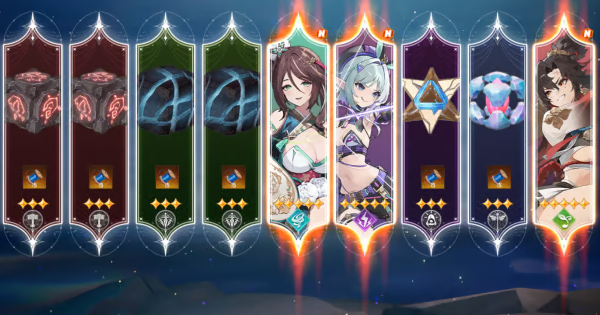 How to Reroll Guide
 Raising Adventure Level
 Character Progression
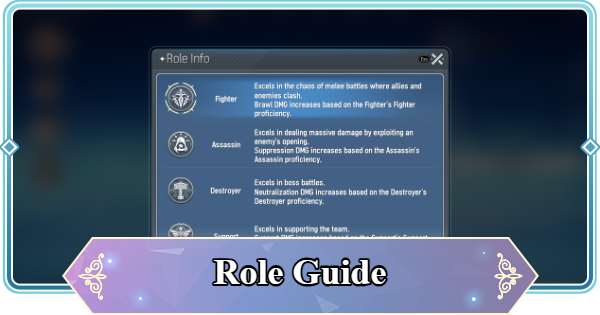 Role and Classes
 Recommended Gachas
 Game Difficulty Guide
 How to Cook and Best Recipes
 How to Capture Monsters
 How to Solve Oz's Puzzle
 Is Mongil a Gacha Game?
 How to Farm Starlight Crystals
 How to Get Compass of Promise










