

 Mina
Mina Fighter
 Destroyer
 Support
 Assassin
 Fire
Fire Ice
Ice Wind
Wind Earth
Earth Lightning
This is the Mongil Reroll Tier List. We list the latest top reroll targets and when you should stop rerolling. Please use this guide when researching how to reroll in Mongil: STAR DIVE.
Table of Contents
| Related Articles | |
|---|---|
  How to Reroll Guide How to Reroll Guide |  Reroll Tier List Reroll Tier List |
Reroll Tier List
Best Reroll Character is Mina
The best reroll target in Mongil is Mina, who is currently featured on rate-up. Mina is a great DPS that's effective against all enemy types and is a limited character. However, the number of pulls available from the limited banner per reroll is low, so obtaining her will require a considerable number of attempts.
Flare is Best from Permanent Banner
A more practical reroll strategy is to pull from the "New Expedition" banner, which guarantees one permanent 5★ Character within 20 pulls. If you choose to reroll using the New Expedition banner, it is recommended to target Flare, who has great synergy with Mina.
Most Popular Reroll Characters
Best Banner for Rerolling
New Expedition Gacha

Rerolling with the New Expedition banner is a practical approach, as it guarantees one permanent 5★ Character within 20 pulls. For this banner, use the "Compass of Promise" for pulls, which can be obtained from your in-game mail through campaigns such as pre-registration rewards.
Pull PU Banner as Much as Possible

Mina, who can only be obtained from the current PU banner, excels as a Main DPS, and her versatility in both group and boss battles makes her especially valuable. While rerolling with the "New Expedition" banner is recommended, you should also exchange for Threads of Promise and a Compass of Destiny in the Shop to pull from the PU banner.
Recommended Gacha Banner GuideWhen to Stop Rerolling
Reroll Completion Quick Guide
- S-Tier Reroll Character + 5★ Character
- S-Tier Reroll Character
- 1 Limited-Time Character
Aim for S-Tier + 5★ Character
The ideal stopping point for rerolling is to get one S-Tier character from the Reroll Rankings and one 5★ Character from the 20 permanent banner pulls. This will allow you to build a team centered around 5★ characters, making it easier to progress through the story.
Get Multiple 5★Characters in 10-Pull
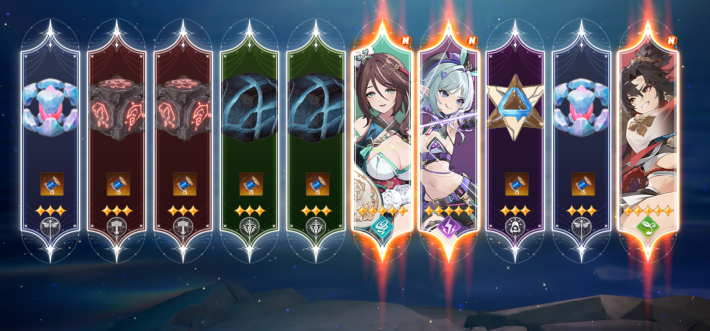
| 5★ Drop Rate | 1% |
|---|
In the New Expedition banner, you are guaranteed one permanent 5★ Character within 20 pulls. With some luck, you may obtain an additional 5★ outside the guarantee, making two 5★ characters within 20 pulls a realistic goal.
Best Characters Tier ListOne S-Tier Character is Enough
It is acceptable to stop rerolling if you obtain one S-Tier character from the guaranteed slot within the 20 permanent banner pulls. Since it is important to start progressing as early as possible to strengthen your account, avoid spending too much time on rerolling.
Gabi Is Highly Recommended
Among the S-Tier Reroll Characters, Gabi is especially recommended, as she can deal high damage to both groups and single targets. You can pair her with the free character Francis to form a strong core team and progress smoothly through the story.
Flare is Recommended For Mina
If you plan to pull for Mina after rerolling, it's also recommended to aim for Flare in the permanent banner since she has great synergy with Mina.
Jiwon Is Recommended with Esther
If you plan to pull for Esther after rerolling, it is recommended to aim for Jiwon during the permanent banner phase, as she is a Wind Support who synergizes well with Esther.
1 S-Tier + 4-Star Character Combo
Stop rerolling once you get one S-Tier character from the guaranteed pulls plus a 4-Star character who has strong synergy with them. Focus on one main team early, as building strong synergy is more effective than spreading resources across multiple teams.
Compatible Combinations
| Recommended New Expedition Characters | Compatible 4-Star Characters |
 Gabi Gabi |  Ellie Ellie |
 Jiwon Jiwon |  Bonnie Bonnie |
 Flare Flare |  Leeho Leeho |
Stop if You Get Mina in Rate-Up Banner
Mina is a flexible DPS that can be used against any boss or enemy. Once you get her, you can immediately stop rerolling.
How to Reroll
Reroll Time and Number of Pulls
| Time Required | Approx. 10 min. per Reroll |
|---|---|
| Number of Pulls | Permanent Banner (New Expedition): 20 Pulls Limited-Time Banner: 2 pulls |
In Mongil: STAR DIVE, each reroll takes approximately 8 to 10 minutes. As of April 15, 2026 (UTC), you can perform a total of 22 pulls per reroll: 20 from the Permanent Banner and 2 from the Limited-Time Banner.
Steps on How to Reroll
*This is the time required when skipping all skippable parts.
- Download the Game
- Press the Title Screen to Start
- Select "Path of Dawn" for the Difficulty
- Follow Tutorial
- Defeat Forkmugger
- Proceed with the Main Quest
- Nyanners Name Can Be Changed Later
- Pull "A New Friend for a New Journey" Banner
- Use a Redemption Code
- Claim Rewards From the Mail
- Pull "New Expedition" Banner
- Open Shop
- Exchange 2 Compass of Destiny
- Pull Limited-Time Character Banner
- If Retrying, Start with a New Account

First, download and launch "Mongil: STAR DIVE" on your device. For the PC version, two platforms are available: the official launcher and Epic Games.

Once the game installation is complete, press the title screen to proceed to the login screen. A data download is required.

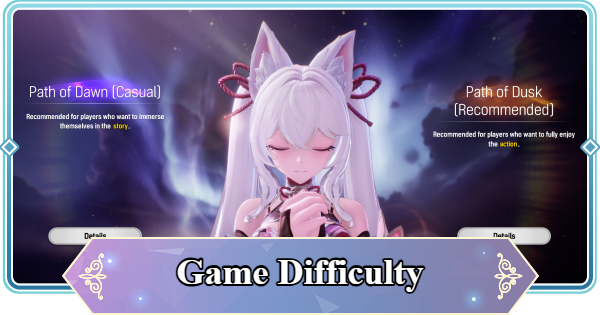
When you start the game, a difficulty selection screen will appear. You can change the difficulty later in the settings, so choosing "Path of Dawn" will reduce enemy durability and allow you to progress through the tutorial more smoothly.
Game Difficulty GuideAlthough the story difficulty is lower on "Path of Dawn," it does not affect rewards. If you want to enjoy more action, you can switch back to "Path of Dusk" at any time.

Follow the Main Quest objective to progress through the tutorial. If you get lost, move toward the icon that indicates your destination.
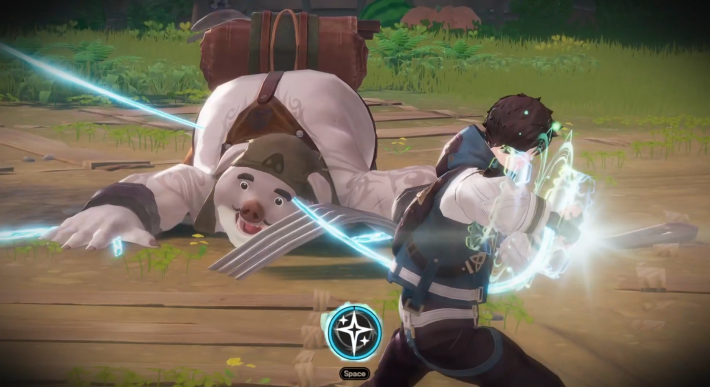
Make full use of the tutorial mechanics, such as counters and Special Skills, to defeat Forkmugger.
| Controller | R2 or RT button *With default settings |
| Keyboard/Mouse | Q key *With default settings |
During the battle with Forkmugger, Cloud’s and Verna’s Ultimate Skills will charge. Since Ultimate Skills deal high damage, activating both can help you finish the fight more quickly.

You can save even more time by using Cloud’s skills effectively. Hold the Special Skill to accumulate "Ice Crystals," then hold the Basic Attack to unleash a rapid-fire attack that consumes the accumulated "Ice Crystals".
Cloud Guide
Follow the Main Quest objective and enter the Monster Tamers Gathering Hub, "Python".

You will be prompted to name your Nyanners, but the name can be changed later from the "Nyanners" menu. If you are in a hurry, you can proceed by selecting Confirm with the default name.

Proceed through the tutorial and pull on the "A New Friend for a New Journey" banner. This banner will grant one random 4★ Character.

If any redemption codes are available, use them to claim rewards. Codes can be entered in-game on PC and Android, while on iOS they must be entered via the Mongil official website.
Redeem Code List
In the "Mail" section of the main menu, you can receive rewards such as gifts and items from redemption codes. Be sure to collect any "Compasses" for banner pulls, as well as "Starlight Crystals" and "Primordial Stars."

After collecting your items, proceed to the Recruit menu and start pulling. In general, the "New Expedition" banner is recommended, but the number of pulls available may vary depending on the distribution status at the time you started the game.

Open the "Shop" from the main menu.

Once the Shop is unlocked, exchange "Threads of Promise" for a Compass of Destiny in the "Fate Exchange." The Compass of Destiny is used to pull on the limited banner.

Return to the Recruit menu and pull the limited-time banner for the rate-up character.
Recommended Gacha Banner Guide
If you are not satisfied with your banner pull results and wish to continue rerolling, restart from Step 2 using a different account. You will need as many email addresses or linked accounts as the number of accounts you create
 Best Character Tier List
 Raising Adventure Level
 Character Progression
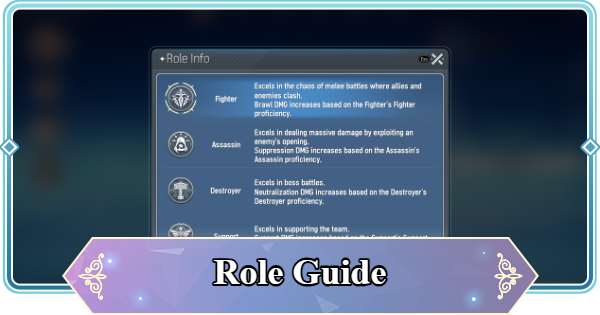 Role and Classes
 Recommended Gachas
 Game Difficulty Guide
 How to Cook and Best Recipes
 How to Capture Monsters
 How to Solve Oz's Puzzle
 Is Mongil a Gacha Game?
 How to Farm Starlight Crystals
 How to Get Compass of Promise










