

Add runes to weapons and armor in The Forge. Learn how to unlock rune slots, find the Runemaker, farm runes, and get passive effects.
Table of Contents
What Are Runes?
Passive Effects for Weapon and Armor

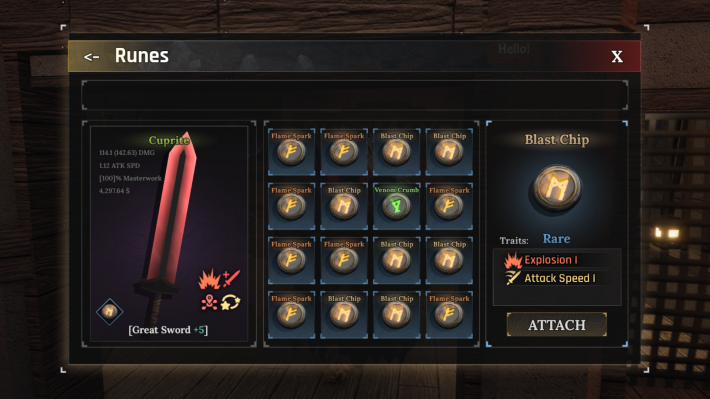
Runes add passive effects to your weapons and armor in The Forge. While enhancement increases raw stats, runes give you powerful abilities like lifesteal, poison damage, fire damage, and stat boosts. To start adding runes to your gear, you'll need to unlock Rune Slots first.
| Note! | You can also add runes to your pickaxe to boost your mining power and mining speed. |
|---|
How to Unlock Rune Slots
Enhance Your Gear First

Before you can add runes to your gear, you need to unlock rune slots through enhancement. You must enhance your weapon or armor to at least +3 before you can attach any runes.
| Enhancement Level | Rune Slots Unlocked |
|---|---|
| +3 Enhancement | 1st Rune Slot |
| +6 Enhancement | 2nd Rune Slot |
Where to Find the Runemaker
Located Across From the Enhancer
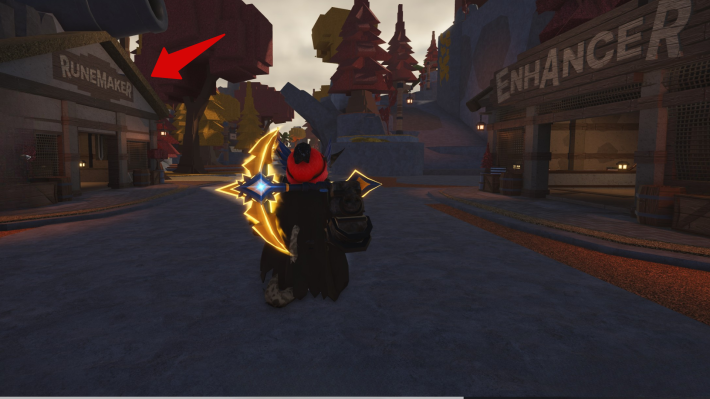
The Runemaker NPC handles all rune attachment services. You can find the Runemaker in a building directly across from the Enhancer in both Stonewake's Cross and Forgotten Kingdom. The Runemaker and Enhancer are always located across from each other.
How to Get Runes
You Need to Defeat Monsters

Runes drop from enemies just like essences, but they're much rarer. Different enemies drop different runes, so you might need to hunt specific creatures to get the rune you want. When you kill an enemy, there's a small chance they'll drop a rune along with essence, XP, and gold.
| Tip! | Different enemies drop different runes. For example, Bombers usually drop Blast Chip, and Blight Pyromancers drop Venom runes. |
|---|
How to Add Runes to Gear
Go to the Runemaker
| Step | Action |
|---|---|
| 1 | 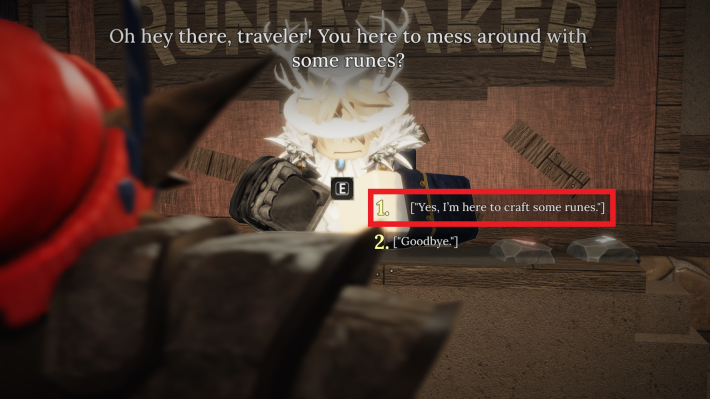 Walk up to the Runemaker and press E, then select "Yes, I'm here to craft some runes." Walk up to the Runemaker and press E, then select "Yes, I'm here to craft some runes." |
| 2 | 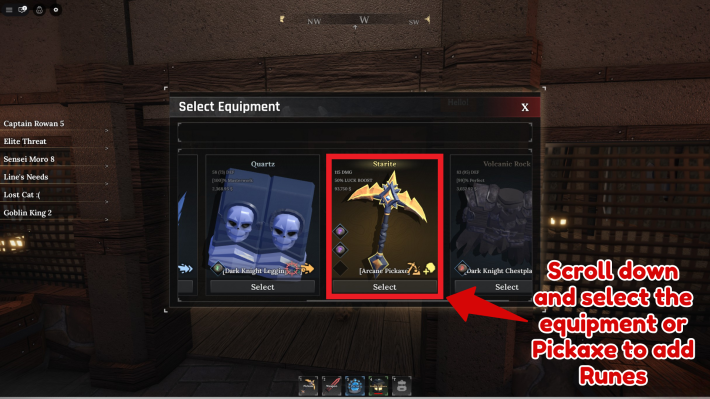 Select the weapon, armor, or pickaxe you want to add a rune to. It must have at least one rune slot unlocked. Select the weapon, armor, or pickaxe you want to add a rune to. It must have at least one rune slot unlocked. |
| 3 | 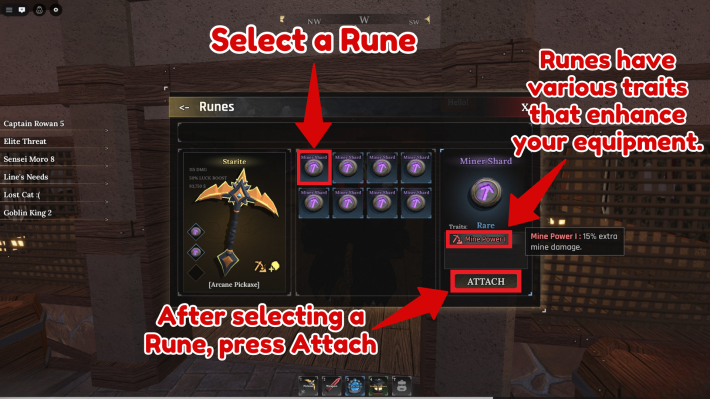 Select the rune you want and press Attach. Select the rune you want and press Attach. |
| 4 | 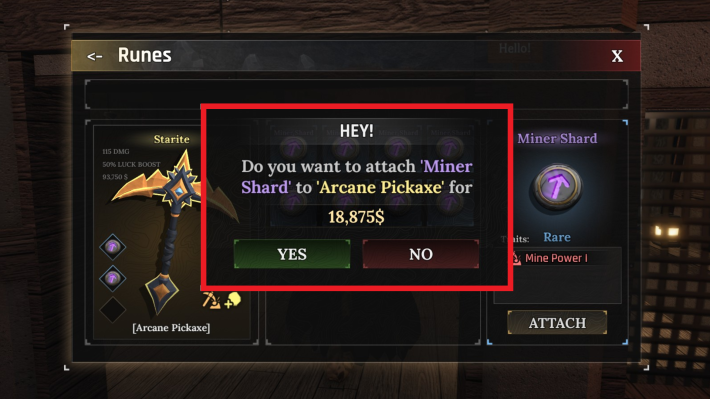 Pay the runemaker to finish the process. Pay the runemaker to finish the process. |
After paying the runemaker, the rune will be attached to your gear and provide its passive effect. You can attach multiple runes to one piece of gear if you have multiple rune slots unlocked.
| Note! | Runes can be removed and reused. Just visit the Runemaker again to detach the existing rune and swap it with a new one. |
|---|
The Forge Related Articles

General Guides and Tips & Tricks

| Related Articles | ||
|---|---|---|
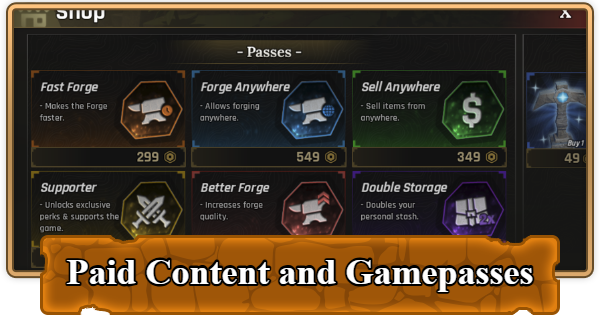 Best Gamepasses Best Gamepasses |  Secrets & Hidden Spots Secrets & Hidden Spots |  How to Make Money Fast How to Make Money Fast |
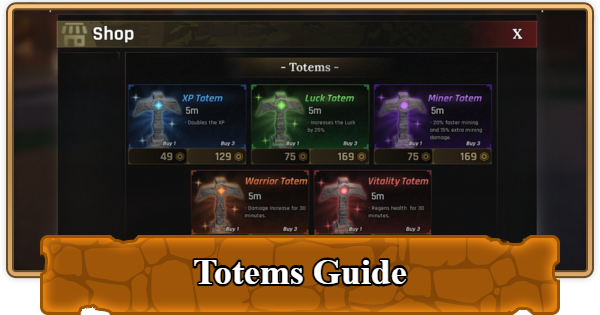 How to Get and Use Totems How to Get and Use Totems |  List of All Pickaxes List of All Pickaxes |  Enhancement Guide Enhancement Guide |  How to Add Runes How to Add Runes |  Things to Do If Stuck Things to Do If Stuck | - |












