

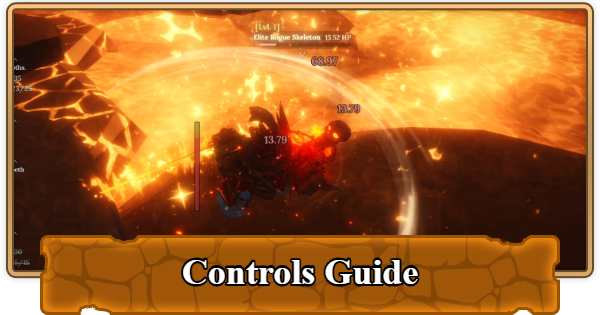
This is a controls guide for Roblox The Forge. Read ahead to learn about the control scheme for the game, as well as additional tips regarding movement and combat!
Table of Contents
PC Controls
PC offers the most precise control scheme in The Forge, especially for combat and forging minigames. Here's everything you need to know:
| Movement and Navigation | |
|---|---|
| Movement | W, A, S, D |
| Interact with NPC | E |
| Sprint | Hold Shift |
| Shift-Lock Mode | Ctrl |
| Open Menu / Inventory | T |
Movement Tips
Sprint
Use Shift to sprint for faster travel between areas. Sprinting drains stamina if you're in combat, so be careful about running out at the wrong time.
Using Shift Lock Mode
Shift-Lock Mode is good if you're looking for more combat. Press Ctrl to toggle it on. This locks your camera to face forward and enables heavy attacks.
Combat Controls
| Combat Controls | |
|---|---|
| Light Attack | Left Mouse Button (LMB) |
| Heavy Attack | R or Right Mouse Button (requires Shift-Lock) |
| Block | Hold F (requires Shift-Lock) |
| Parry | Tap F at perfect timing (requires Shift-Lock) |
| Dodge | Q |
Combat Breakdown
Light Attacks


Light Attacks (LMB) are your basic attacks. Your weapon type determines how quickly your light attacks execute. For example, heavier weapons such as a Great Sword or Scythe take longer to land attacks, while Daggers and Boxing Gloves have faster attack speed.
Heavy Attacks

Heavy Attacks (R or RMB) deal more damage but take longer to execute. Use these when enemies are stunned, staggered, or after a successful parry.
How to Block

Hold F to block. Blocking reduces incoming damage from the direction you're facing at the cost of a small amount of stamina.
How to Parry

If you press F at the exact moment an enemy's attack lands, you'll parry instead of block. Parrying deflects all damage, costs zero stamina, and stuns the enemy for a brief moment.. You'll know you parried successfully when you see a bright orange spark.
How to Dodge

Press Q to dodge in the direction your camera is facing. You can dodge multiple times in a row to cover ground quickly or escape danger.
The Forge Related Articles
 Complete Beginner's Guide
| All Beginner's Guides | ||
|---|---|---|
 Controls Guide Controls Guide |  How to Reroll Race How to Reroll Race |  How to Unlock the Portal How to Unlock the Portal |
 How to Gain Exp Fast How to Gain Exp Fast |  How to Increase Stash How to Increase Stash | - |












